User Management
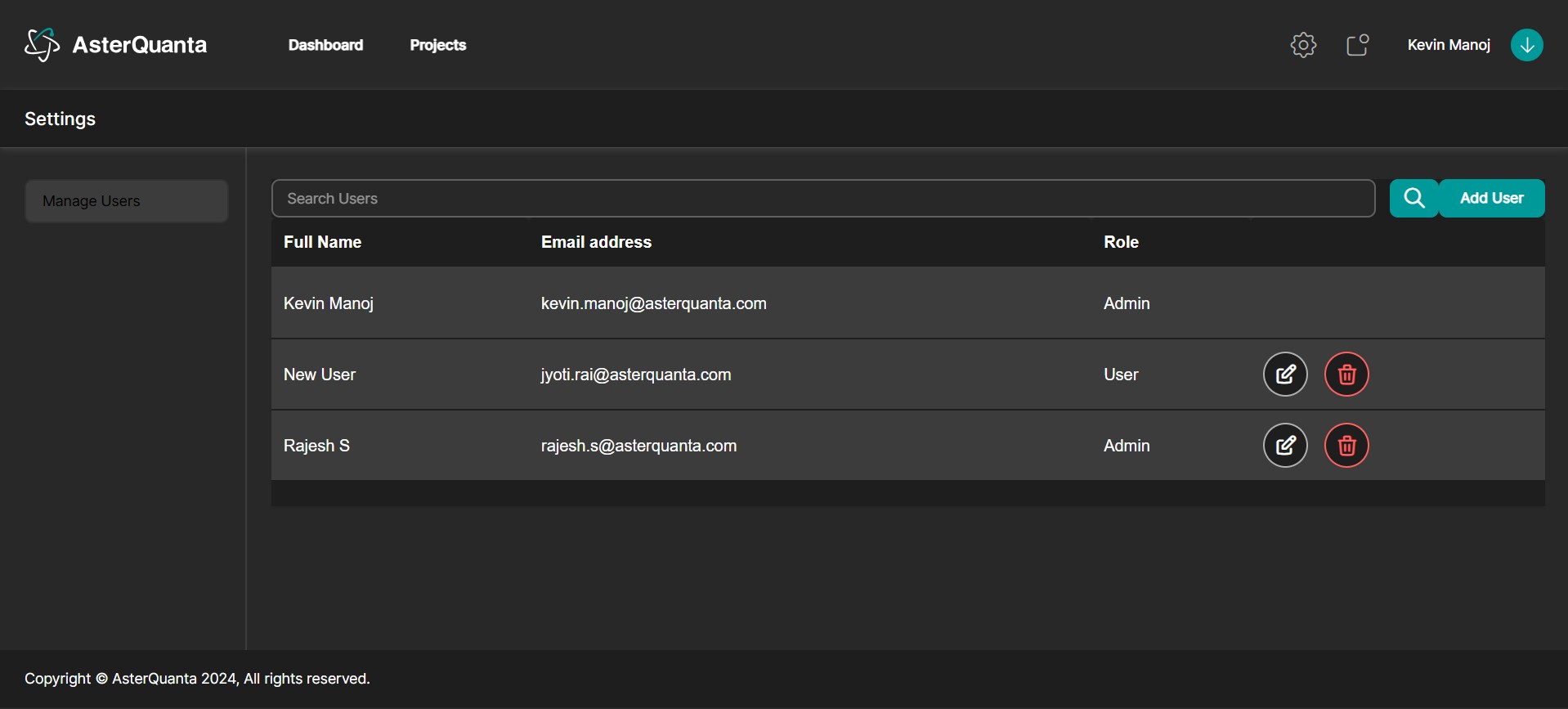
The User Management section is located under Settings. This page allows administrators to view, search, add, edit, and delete users within the system.
Features
Search Users
Use the search bar at the top of the page to quickly locate users by name or email address.
Add New User
Click the Add User button to create a new user account. You will be prompted to enter basic details such as full name, email address, and assign a role.
User Table
A structured table displays all existing users with the following details:
- Full Name: The user's complete name.
- Email Address: The registered email ID.
- Role: The user’s assigned role (e.g., Admin, Viewer).
Edit and Delete
Each user row includes:
- An Edit option to modify user details or change their role.
- A Delete icon to remove the user from the system.
This section provides essential administrative control over user access and role management.